Rounded per standard assessment convention (16+ days rounds up to the next month).
Chronological age is the exact time elapsed between a date of birth and a reference date, expressed in years, months, and days. It's the figure used in school evaluations, developmental screenings, and IQ or achievement test norming, where test manuals typically report age in years;months notation and round to the nearest month using a documented day-count rule. For a general-purpose age calculation without assessment rounding, see the age calculator.
Need someone's age as of a specific date without the assessment rounding rule? Use the age calculator on date instead.
Chronological Age Calculator – Free Exact Age Tool
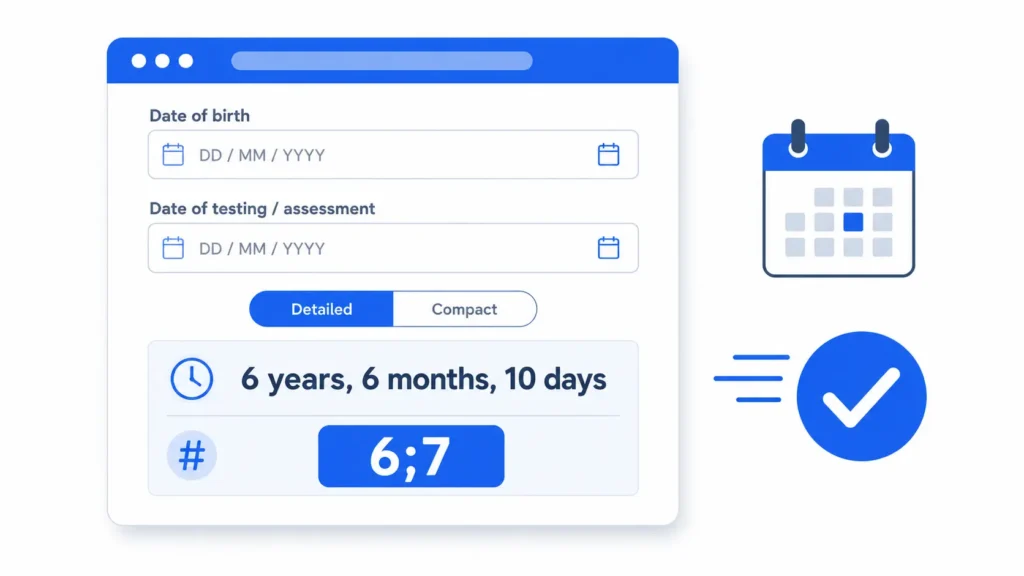
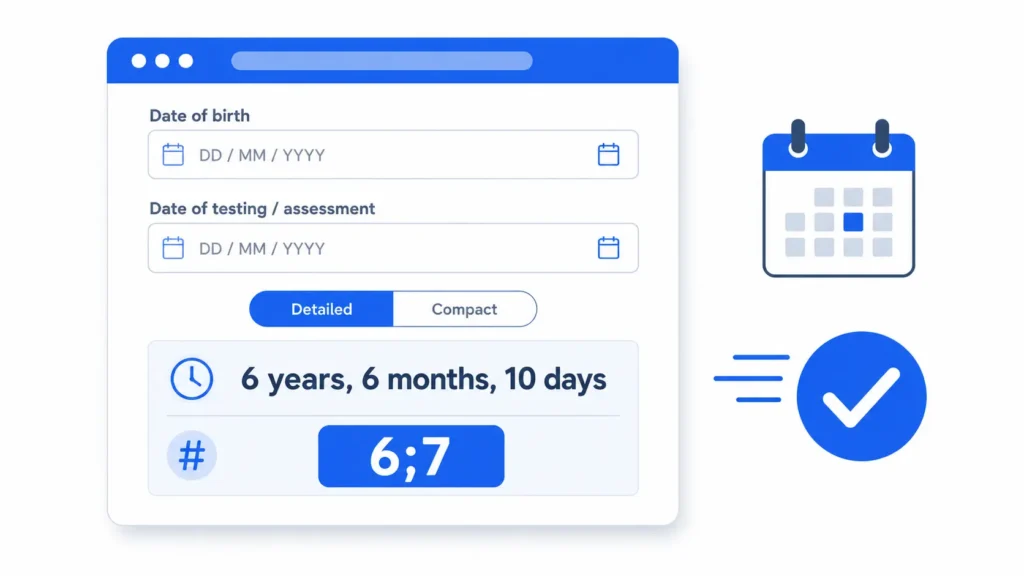
A chronological age calculator turns two dates, a date of birth and a reference date, into an exact age in years, months, and days. Enter both above and you’ll see two results: the plain calendar breakdown, and, if you flip the toggle, the rounded years;months format that clinical and school assessments actually ask for. Most chronological age calculator tools online stop at the first number. The second one is where people get tripped up, and it’s the part this page focuses on.
This particular chronological age calculator was built around that gap. It’s free, runs entirely in your browser, and defaults the testing date to today while leaving it fully editable, since assessments often get scored days after the actual test.
How to calculate chronological age
You don’t need the tool to check your own math, though it saves you the trouble. Chronological age calculation works top-down: years first, then months, then days, borrowing from the column to the left whenever a subtraction goes negative.
Take a child born January 10, 2018, tested on July 20, 2024.
- Years: 2024 minus 2018 equals 6.
- Months: July (7) minus January (1) equals 6.
- Days: 20 minus 10 equals 10. No borrowing needed here.
Result: 6 years, 6 months, 10 days. That’s the exact figure a chronological age calculator returns instantly, and it’s also what you’d get counting by hand on a calendar, assuming you don’t lose track of a borrowed month somewhere in the middle.
Where hand math usually breaks is the borrow step. If the test day is smaller than the birth day, say testing on the 5th when the birth date is the 20th, you subtract a month from the month total and add that month’s actual day count, not a flat 30, to the day column. Skip that step and your day count drifts by a day or three depending on which month you shortchanged. A good chronological age calculator never guesses at month length; it reads the real calendar for whichever month it borrows from, so February in a leap year behaves correctly without any special-case code.
The rounding rule most chronological age calculator tools skip
Here’s the part most guides get wrong, or skip entirely. A handful of standardized test manuals, several Wechsler scales and the Bayley among them, don’t report chronological age as years, months, and days. They want years;months, semicolon-separated, with the days rounded away using a specific threshold.
The convention used in most published manuals: if 16 or more days have elapsed into the current month, round up to the next month. Fifteen or fewer, and you drop the days and keep the month as-is. It sounds like a small detail. It changes the reported age.
Take a child who’s 12 years, 11 months, 19 days old on the test date. Round using the 16-day rule and that becomes 13;0, not 12;11. Miss the rounding step, or round down out of habit, and you’ve reported the wrong age band entirely: thirteen years old instead of not-quite-thirteen. On a test with narrow normative bands, that’s not a rounding error. It’s a different set of norms.
Not every source gets this right. Some age calculators and guides tell you to always round down and drop the days, full stop. That’s not how the underlying convention works for manuals that specify a threshold. And not every manual uses 16 days, either; some use 15. The honest answer: check your specific manual’s scoring instructions before you trust any chronological age calculator’s rounding, including this one. That’s also why the threshold on this page is shown, not hidden, in the caption under the result.
Reading your chronological age calculator result
This chronological age calculator shows two things at once, on purpose.
Years, months, days. The exact calendar span between the two dates, no rounding. This is what a birth certificate, a legal document, or a plain “how old is this person” question wants.
Years;months (assessment format). The rounded version described above, semicolon-separated, no days shown. Flip the toggle on and you’ll see a one-line note explaining the rounding rule that produced it.
Neither number is more “correct” than the other. They answer different questions. A clinician scoring a Bayley subtest needs the second one. A school registrar checking a birth date against an enrollment cutoff needs the first, exact to the day, no rounding at all. Precise age-band placement is exactly why organizations like the American Speech-Language-Hearing Association publish detailed guidance on norm-referenced assessment for their members. Pediatric developmental milestones, the kind the CDC tracks by age in months, are the same reason exact age in months matters well beyond a single test score.
Which testing manuals actually need the rounded format
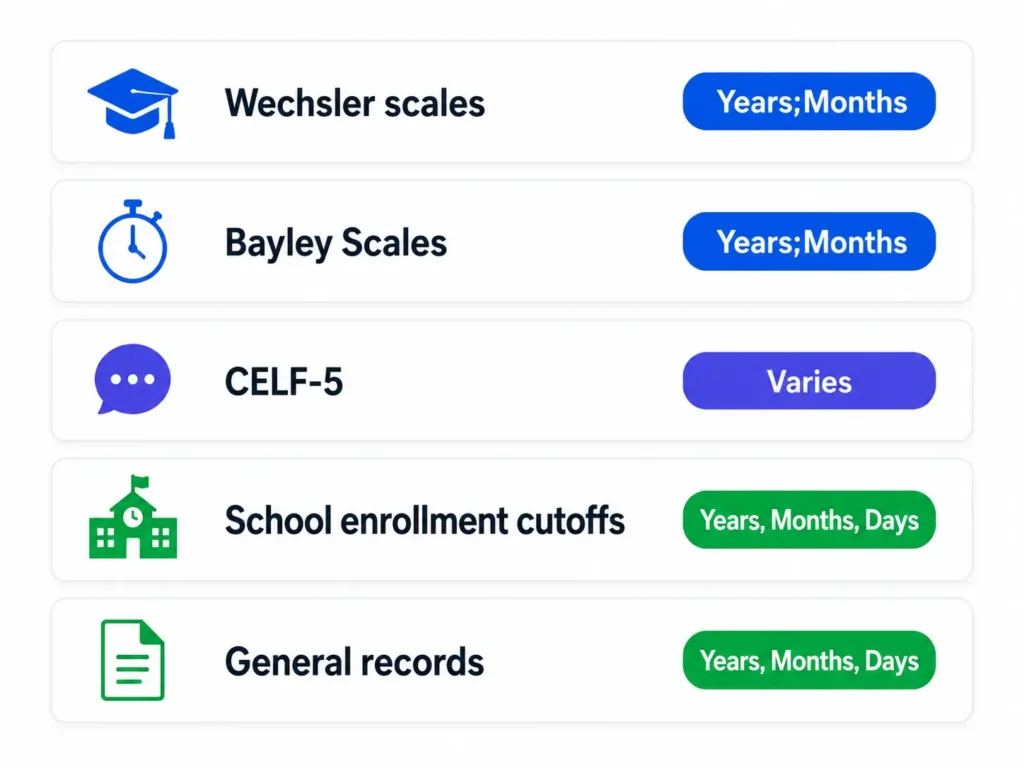
This is where a lot of confusion starts, because “chronological age” doesn’t mean the same reporting format across every test publisher. A chronological age calculator built for general use, the kind that only outputs years, months, and days, will get you halfway there and stop. Below is a general reference, not a substitute for your specific manual’s scoring section.
| Manual family | Typical format | Rounds days away? |
|---|---|---|
| Wechsler scales (WISC-V, WPPSI-IV, WAIS-IV) | Years;Months | Often, via a documented threshold |
| Bayley Scales of Infant Development | Years;Months | Yes, per the current edition’s rule |
| CELF-5 and similar language assessments | Years;Months, sometimes Years;Months;Days | Varies by edition; check the record form |
| School enrollment or IEP eligibility cutoffs | Years, Months, Days (exact) | No; the exact date is what matters |
| General records, legal, or personal use | Years, Months, Days (exact) | No |
Publishers revise editions. A rounding rule that applied to one edition of a manual can change in the next. Treat this table as a starting point for figuring out which of the two numbers a chronological age calculator gives you, then confirm against the actual scoring instructions in front of you.
Common mistakes when calculating chronological age
A handful of habits quietly produce a wrong number, even with a chronological age calculator doing the arithmetic.
- Using today’s date instead of the actual test date. If a report gets written a week after the assessment, the child’s age on the record should reflect the day they were tested, not the day someone typed up the paperwork.
- Rounding down out of habit. As covered above, the 16-day threshold rounds up more often than people expect. A flat “always round down” rule will misreport a meaningful share of cases.
- Skipping leap years. February 29 births and test dates that straddle a leap day both affect the day-borrow step. A calculator handles this automatically; hand math frequently doesn’t.
- Confusing chronological age with corrected age. For infants born preterm, chronological age overstates developmental readiness. Clinicians typically use corrected, or adjusted, age instead, calculated from the due date rather than the birth date, for around the first two years. The American Academy of Pediatrics publishes guidance on when corrected age applies and when it doesn’t.
- Assuming one calculator’s rounding matches your manual. Different publishers, and different editions of the same publisher’s tools, use different thresholds. Verify before you submit a score.
None of these mistakes are exotic. They’re the kind of thing a careful person catches on a second read, and the kind of thing a chronological age calculator with a visible, documented rounding rule catches automatically, every single time.
Chronological age calculator FAQ
What is a chronological age calculator?
A chronological age calculator finds the exact time between a date of birth and a reference date, usually a testing or assessment date, and reports it in years, months, and days. Some, including this one, also provide a rounded years;months format for standardized test scoring.
How do I calculate chronological age by hand?
Subtract years, then months, then days, working from the reference date back to the birth date. Borrow a month, then that month’s real day count, whenever the day subtraction goes negative. Borrow a year whenever the month subtraction goes negative. The worked example earlier on this page walks through a full case, start to finish, using the same method this chronological age calculator runs automatically.
Is there a free chronological age calculator I can use for assessments?
Yes. The tool on this page is free, needs no sign-up, and includes the assessment-format toggle most general age calculators leave out entirely. Enter a date of birth and a testing date to get both the exact and rounded results at once.
Why does the testing date matter more than today’s date?
Because assessments score against the child’s age on the day they were actually tested, not the day the report gets typed up. That’s why this calculator’s testing-date field defaults to today but stays fully editable.
What’s the difference between chronological age and corrected age?
Chronological age counts from the actual birth date. Corrected age, used for infants born preterm, counts from the original due date instead, for roughly the first 24 months. The American Academy of Pediatrics recommends corrected age for developmental screening in that window, because chronological age alone overstates how developmentally ready a premature infant is expected to be.
Does this chronological age calc handle leap years and February 29 birthdays?
Yes. The underlying date math reads the actual number of days in whichever month it borrows from, including February in a leap year, so a February 29 date of birth or test date needs no special handling at all.
Should I round the months up or down?
It depends entirely on the manual you’re scoring against. The common convention rounds up at 16 or more elapsed days and down at 15 or fewer, but some manuals set the threshold at 15 instead of 16. Check your specific scoring instructions rather than assuming either direction is universal.
Is chronological age the same as biological age?
No. Chronological age is a calendar figure: exact time since birth, nothing more. Biological age estimates how old a body appears to function based on markers like fitness and cell health, and it isn’t used for standardized test scoring. Assessment manuals want chronological age specifically, every time.
Can I use this for school enrollment or IEP eligibility cutoffs?
Yes. Enter the child’s date of birth and the district’s cutoff date into this chronological age calculator to get the exact years, months, and days figure most enrollment and eligibility rules are written against. Leave the assessment-format toggle off for this use case; enrollment cutoffs generally want the exact date, not a rounded month.
How accurate is the years;months format compared to years, months, days?
Both are accurate. They’re just answering different questions. Years, months, days is the literal calendar span with nothing rounded away. Years;months applies a documented rounding rule so the age fits the narrower reporting convention certain test manuals require. Neither is “more correct” outside the context of whatever is actually asking for it.
Does this chronological age calculator work for adults, not just children?
Yes. Nothing about the date math changes for an adult date of birth. Most people scoring a child assessment need the years;months toggle; most people checking their own age, or an elderly relative’s, for a form or a personal record just need the plain years, months, and days figure, and can leave the toggle off entirely.
The bottom line
A chronological age calculator should get you two things: the exact calendar span, and, when you actually need it, the rounded assessment format with a rounding rule you can check instead of guess at. Enter a date of birth and a testing date above, flip the toggle if your manual needs years;months, and verify the result against your specific scoring instructions before it goes anywhere near a report. For a general-purpose date-to-date age with no assessment rounding at all, the age calculator on date tool handles that case directly. Curious about your age as of today instead of a fixed test date? The age calculator does that, and if you’re after a birthday countdown rather than an age, when is my birthday covers that separately. Only know someone’s age and need to reverse-engineer their birth date? Our date of birth calculator handles that calculation.